IT relocation
Planning an IT relocation: a practical, step-by-step checklist
Moving an office or server room is not a transport job. A structured checklist for planning an IT relocation that restarts cleanly at the new site.
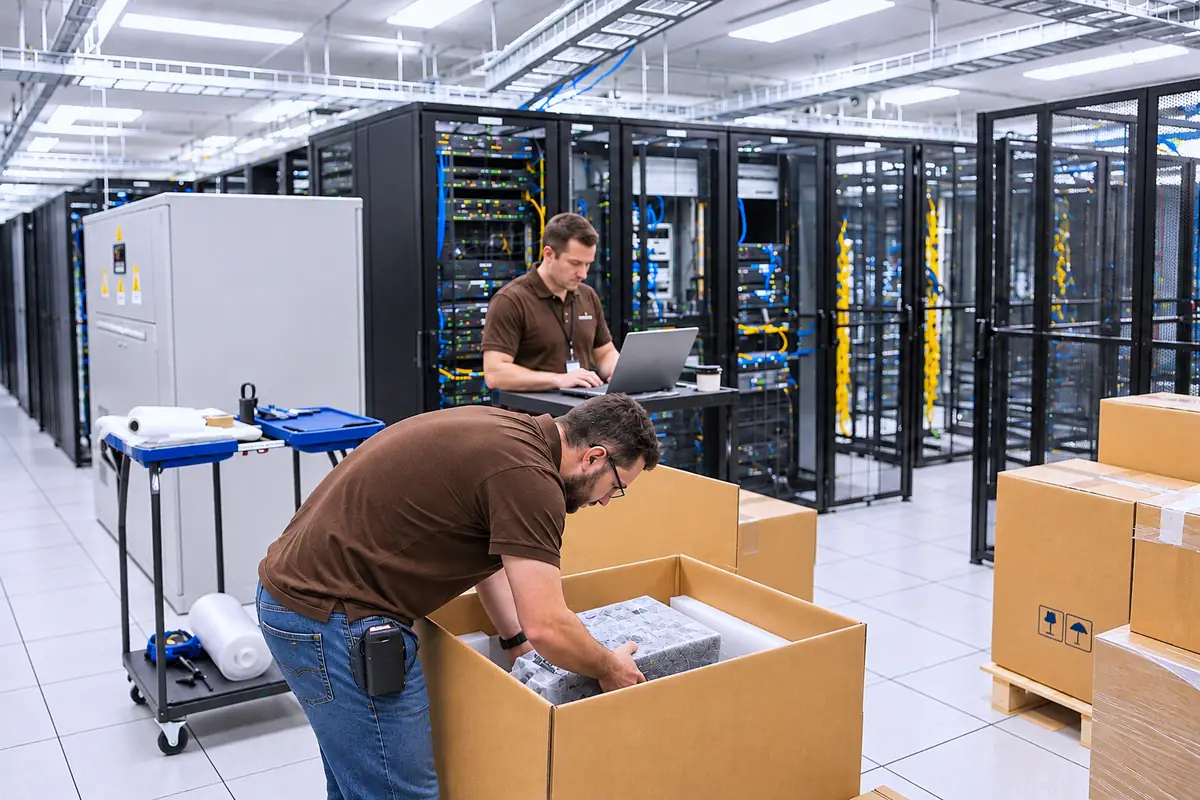
IT Logistics & Infrastructure Relocation
A distinguishing direction of KMS. Moving an office, server room or data center means moving a connected technology environment — we plan, move, reconnect and test it, and hand it over documented.
IT Logistics & Infrastructure Relocation
Computers, servers, network devices, switching nodes and communication systems depend on each other. Shutting them down in the wrong order, losing track of a cable or a port, or packing sensitive equipment incorrectly can affect business continuity long after moving day.
KMS manages relocation as a technology project: we record what exists, plan how it will move, control the shutdown and dismantling, handle specialized packing and transport, prepare the new site, then reinstall, reconnect, configure and test everything against criteria agreed with you.
Systems that rely on each other are often undocumented — until one of them does not come back online.
Without labeling of devices, ports and cables, restoring the original configuration becomes guesswork.
Movers, IT staff and installers each handle part of the job, and the gaps between them belong to nobody.
The business needs to keep working, so shutdown, transport and restart have to fit an agreed schedule.
One coordinated plan covers the old site, the move and the new site — with a single point of coordination throughout.
Asset inventory, connections and critical systems are recorded before anything is disconnected.
Shutdown, dismantling, transport and restart follow an agreed order built around your operations.
Every device, box and accessory is labeled and recorded from origin to final position.
Systems are tested and validated at the new site, issues are recorded and corrected, and the result is documented.
IT Logistics & Infrastructure Relocation
Device lists, locations, connections and dependencies of the existing environment.
Consistent identification of devices, ports, cables and packaging for exact reconnection.
Controlled shutdown, dismantling, cabinet preparation and specialized packing of server and network equipment.
Planned migration of server rooms, data centers and network infrastructure.
Cabling, racks and network infrastructure prepared at the new location before the move.
Reinstallation, network configuration, testing and validation against agreed criteria.
Inventory, dependencies, requirements at the new site, relocation plan and sequence.
Shutdown procedures and labeling of devices, ports and cables; where relevant, confirming that backups and recovery readiness are in place.
Specialized packing by equipment type and sensitivity, box labeling, loading and safe transport.
New-site preparation, rack and device reinstallation, cable restoration and workstation setup.
Power-up, network configuration, system testing and validation, correction of findings, commissioning.
Final asset list, layout information, connection diagrams, test results and open items.
Any relocation involves planned downtime — we agree shutdown windows in advance and plan to keep disruption as low as practical, but we do not promise zero downtime. Data backup and recovery remain the responsibility of the system owner unless explicitly included in the agreed scope.
IT Logistics & Infrastructure Relocation
A technology environment that is placed, reconnected, tested and ready for work at the new site — not equipment delivered to a new address — with a record of what moved and where it now is.
Depending on project scope, the relocation handover package includes:
The inventory of relocated devices — made before anything is disconnected and checked at the new site.
Identification of devices, ports, cables and boxes, used for exact reconnection.
Where racks, devices and workstations are placed at the new site.
The relevant connection diagrams of the restored infrastructure.
Network, server and workstation checks against the agreed criteria.
The list of work completed, remaining issues and recommendations, operating instructions and support terms.
Verified case studies for this area will be published here after client approval.
No. Transport is one step. We cover the audit, labeling, controlled shutdown, packing, transport, reinstallation, reconnection, testing and documented handover as one project.
Some downtime is unavoidable when equipment is physically moved. We plan the sequence and timing to keep it as short and predictable as practical, and agree it with you in advance.
Yes. If the new site needs cabling, racks or network infrastructure, this can be planned and delivered as part of the same project.
An agreed handover package: the final list of relocated assets, layout information, relevant network and cabling diagrams, a list of completed work, test results and any open items or recommendations.
The schedule is agreed during planning. Shutdown and start-up windows are set around your operations and confirmed before work begins.
Yes. Server room and data center migration can be a project on its own, including controlled shutdown, packing, transport, reinstallation and testing.
Yes. An IT asset register, identification of servers and network devices, and labeling with documentation are prepared before anything is disconnected.
IT relocation
Moving an office or server room is not a transport job. A structured checklist for planning an IT relocation that restarts cleanly at the new site.
IT relocation
Shut down on Friday evening, working systems on Monday morning — it is realistic, provided most of the work happens before the weekend. A step-by-step runbook so Sunday night brings no surprises.
IT relocation
Office moves rarely fail on moving day. They fail weeks earlier, when the date is set before anyone checks the cabling, the internet line or the server room. Ten common mistakes and the simple steps that prevent them.
Tell us what is moving, from where to where, and which shutdown windows your business can accept. KMS starts with an audit and builds the relocation plan around your operations.